Getting Started
Install EbonBuilds, create your first build, and turn on Autopilot in a few minutes.
Download
Grab the latest EbonBuilds.zip from the
releases page
before you start.
Install
- Download the latest
EbonBuilds.zipfrom the releases page. - Extract it and put the
EbonBuildsfolder into the Project Ebonhold add-ons directory:
%LocalAppData%\ebonhold\Interface\AddOns\
Example full path: C:\Users\<you>\AppData\Local\ebonhold\Interface\AddOns\EbonBuilds\. Do not use a Blizzard retail _retail_\Interface\AddOns path.
3. Restart the game or /reload.
Requires ProjectEbonhold or ProjectEbonhold Enhanced. Some features additionally use Details! if installed.
Optional companion add-ons
| Add-on | Purpose | Install doc |
|---|---|---|
| Auctionator | Affix shopping / AH buyout hints with EbonBuilds | vendor/Auctionator/CREDITS.md |
| Details!: Tiny Threat (PE) | Threat meter Details! plugin for 3.3.5a | Details!: Tiny Threat (PE) |
| Details!: Project Ebonhold | Echo DPS labels + proc source attribution for Details! | Details!: Project Ebonhold (PE) |
Extract optional zips (Auctionator.zip, Details.zip full suite when shipped) into %LocalAppData%\ebonhold\Interface\AddOns\ so each folder sits next to EbonBuilds. Prefer Details.zip (core + plugins + PE TinyThreat / ProjectEbonhold); legacy single-plugin zips remain optional.
First login
A one-time panel greets you after logging in. It asks the DPS-tracking consent question (tracking and community sharing are off until you say otherwise -- either answer is one checkbox in Settings if you change your mind), and offers What's new and the in-game guide. It shows once per addon version, then stays out of the way.
Your first build
/ebbopens the main window. Click + New Build.-
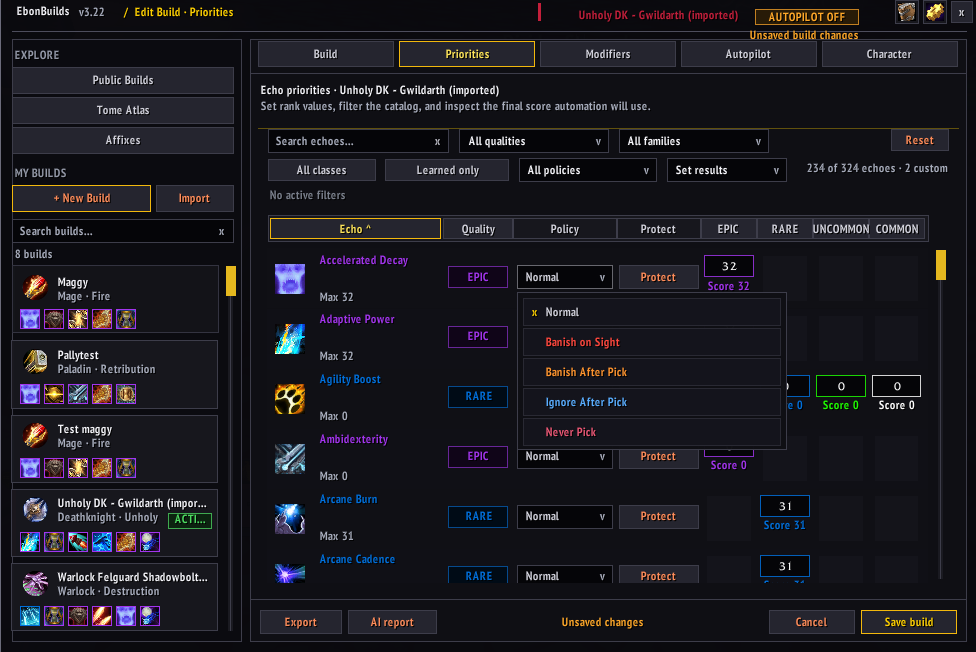
On the Build tab set title, class, and spec. On Priorities, give the Echoes you care about rank values -- everything else can stay 0 to start.
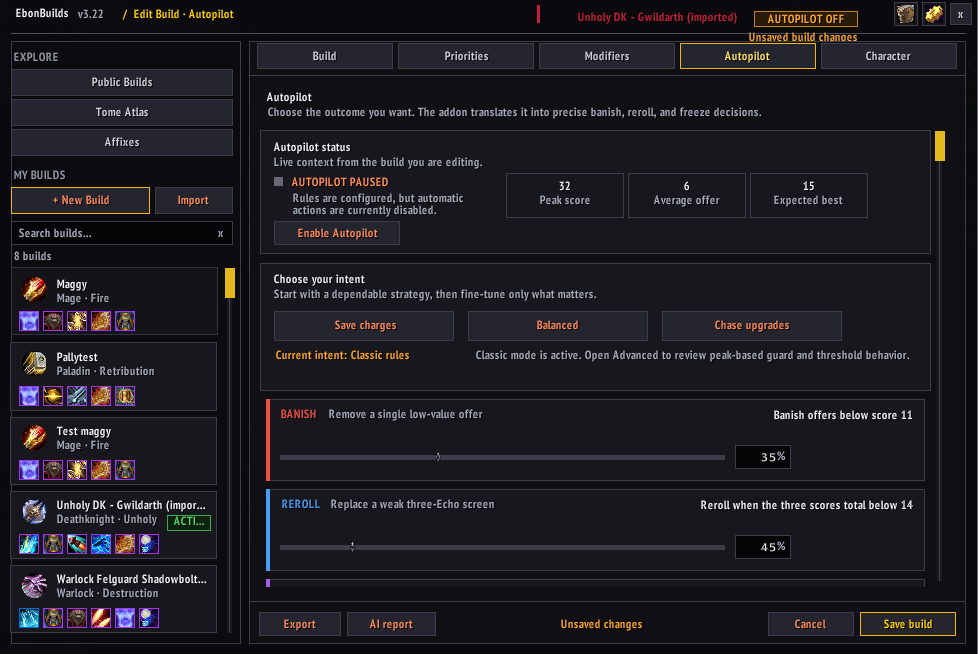
 3. Autopilot tab: pick an intent (Save charges / Balanced / Chase upgrades) rather than tuning thresholds by hand -- the intent presets are the dependable starting point.
 4. Save, then enable Autopilot from the build overview. From here every echo choice screen is scored and acted on for you, and every decision lands in the Logbook with its reasoning.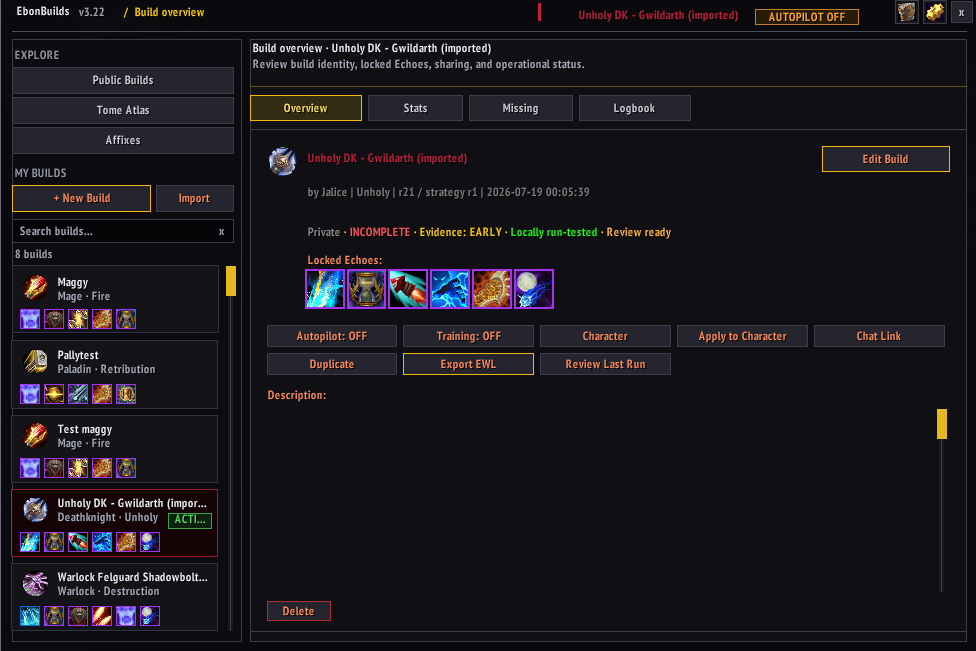
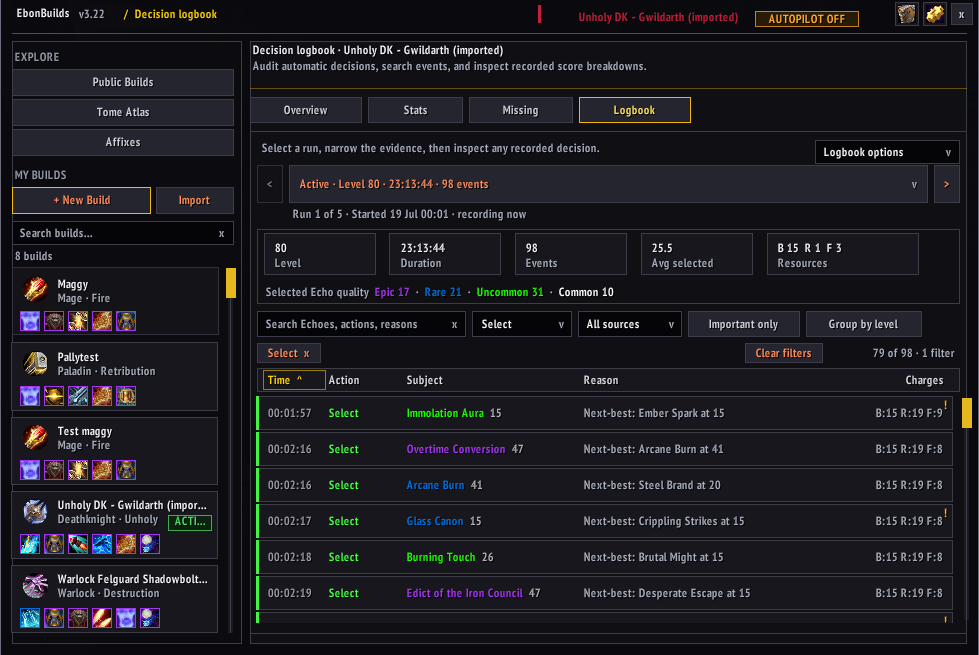
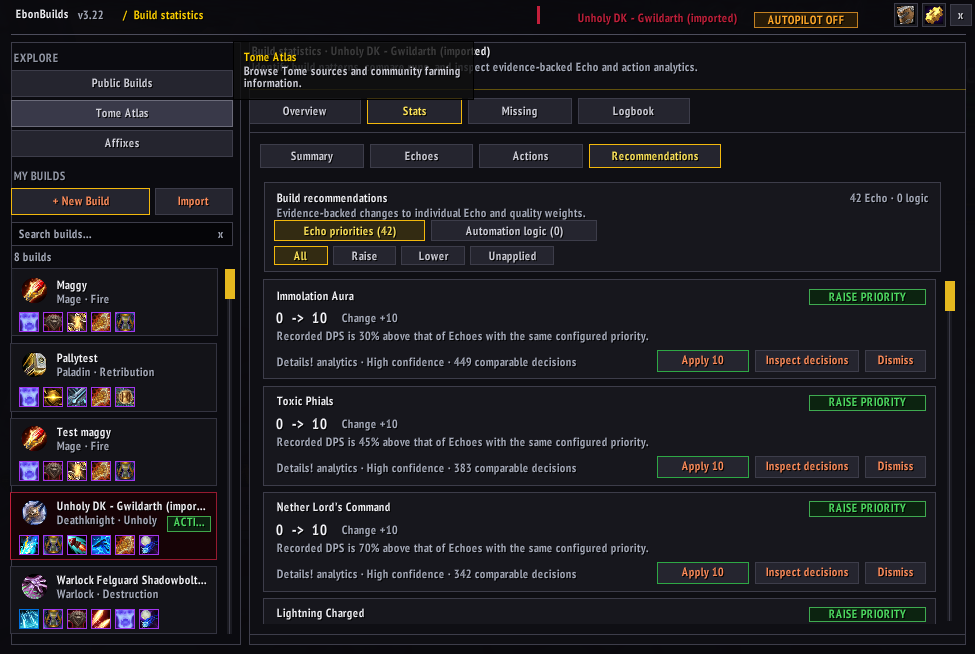
Let the data teach it
With Details! installed and tracking consented, the Stats views accumulate evidence across runs, and Recommendations proposes specific weight changes -- each with its confidence and a link to the exact decisions behind it. Nothing applies itself; you review and apply.